Monthly progress and targets
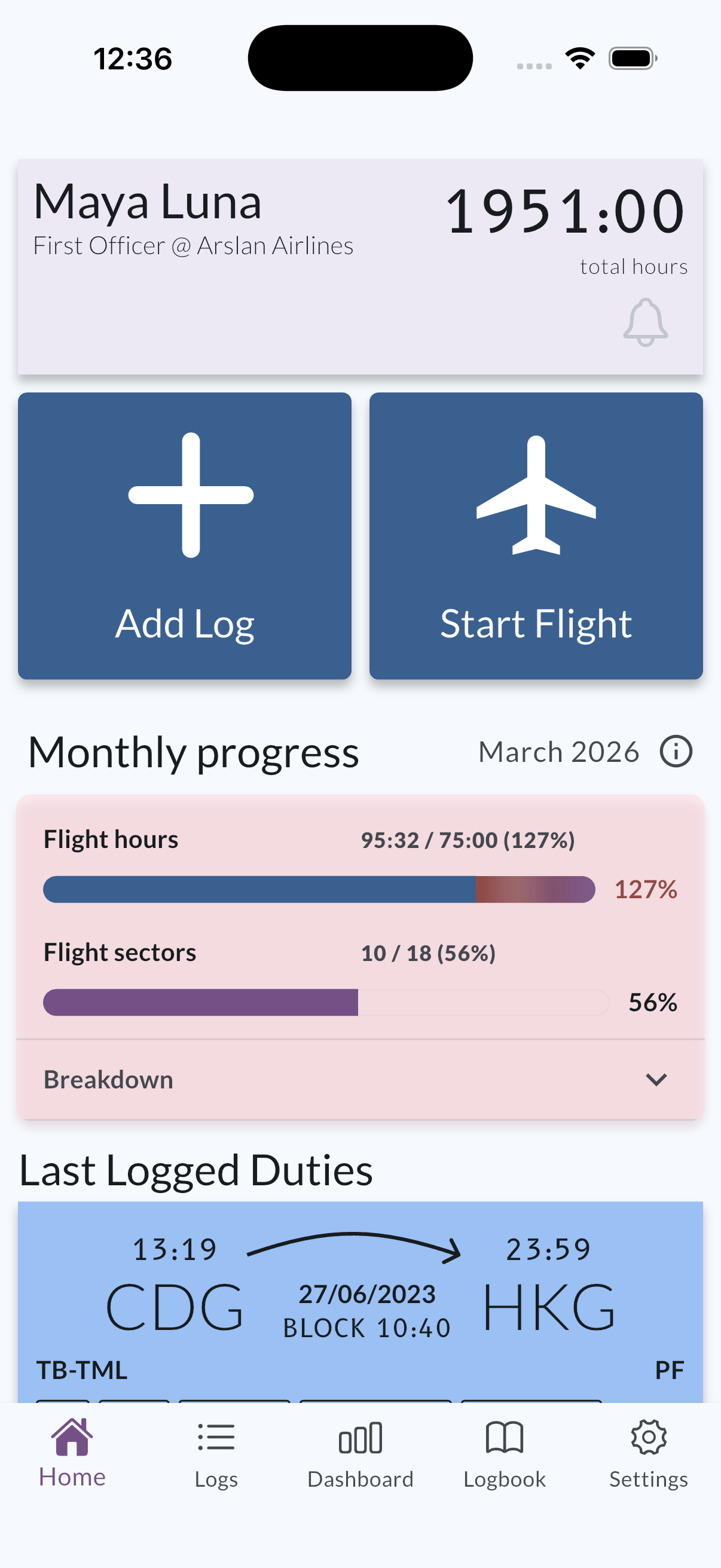
MyLog helps you track planned versus actual flight hours for the current period, and—when sector tracking is enabled—sectors the same way. The Home screen summarizes the month; the Monthly progress details screen expands that month with charts and a direct way to adjust your targets.
Where to find it
- Home: Monthly progress for the visible month (hours and, when applicable, sectors).
- Monthly progress details: Open from the progress area on Home to see the full breakdown for the selected month.
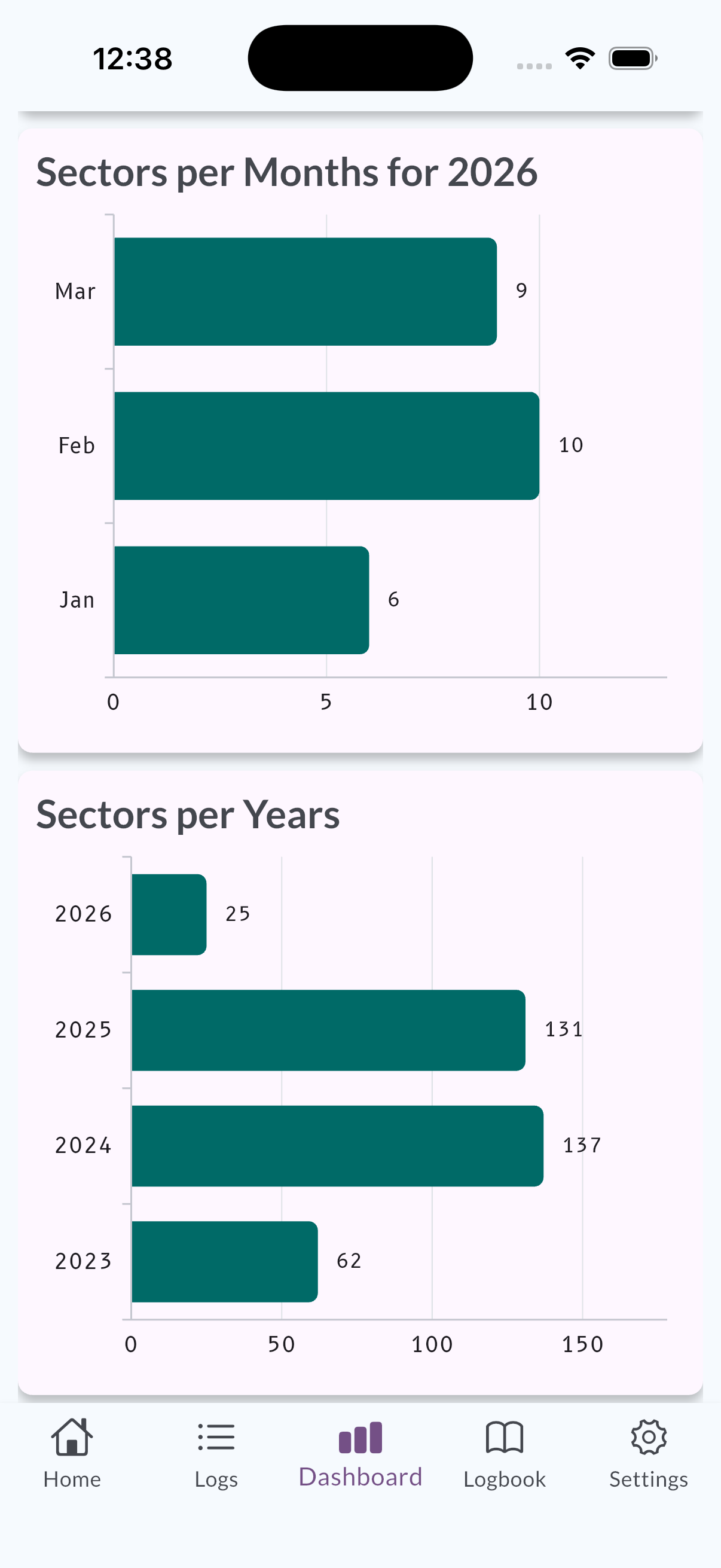
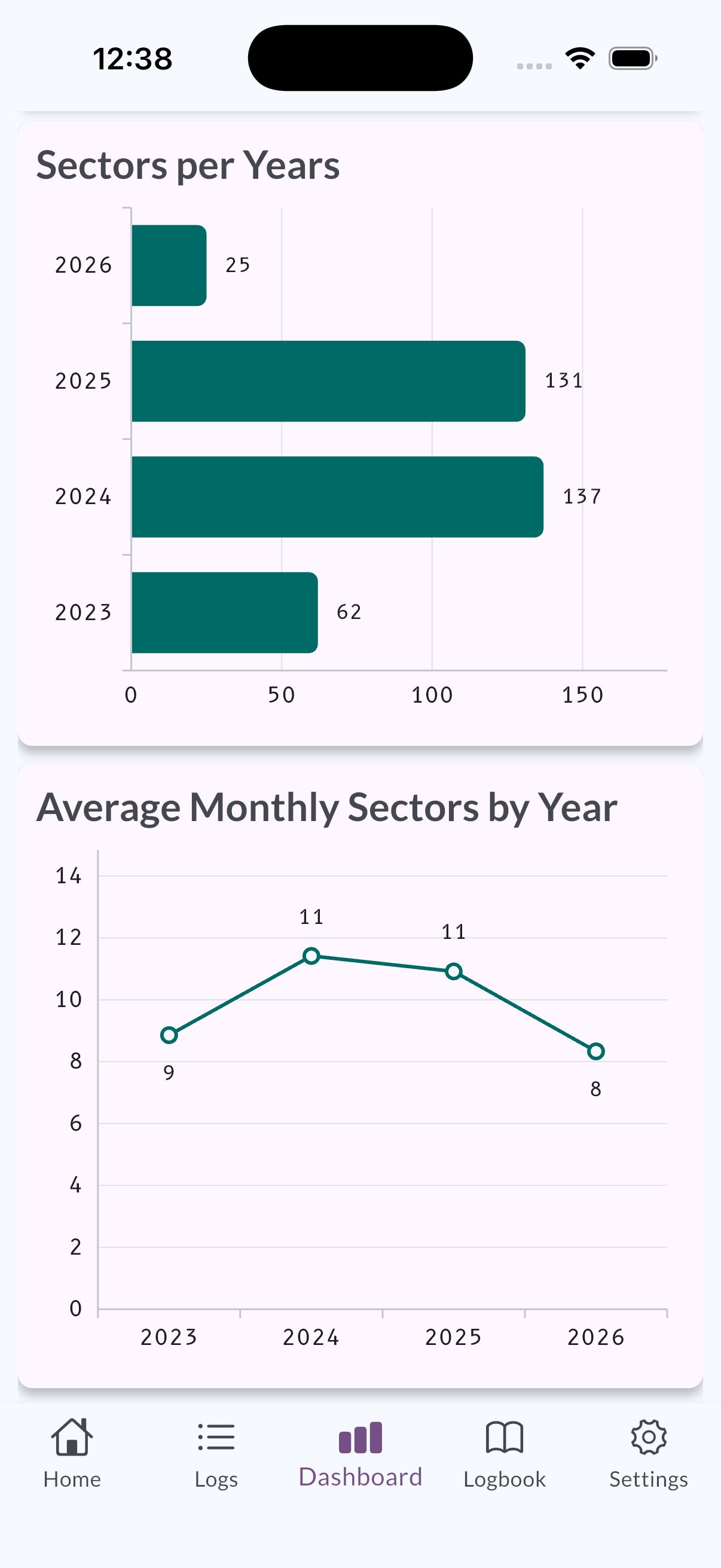
- Dashboard: Optional sector summaries (for example by month or year) that complement the month-focused progress views—see Dashboard overview.
Reading progress
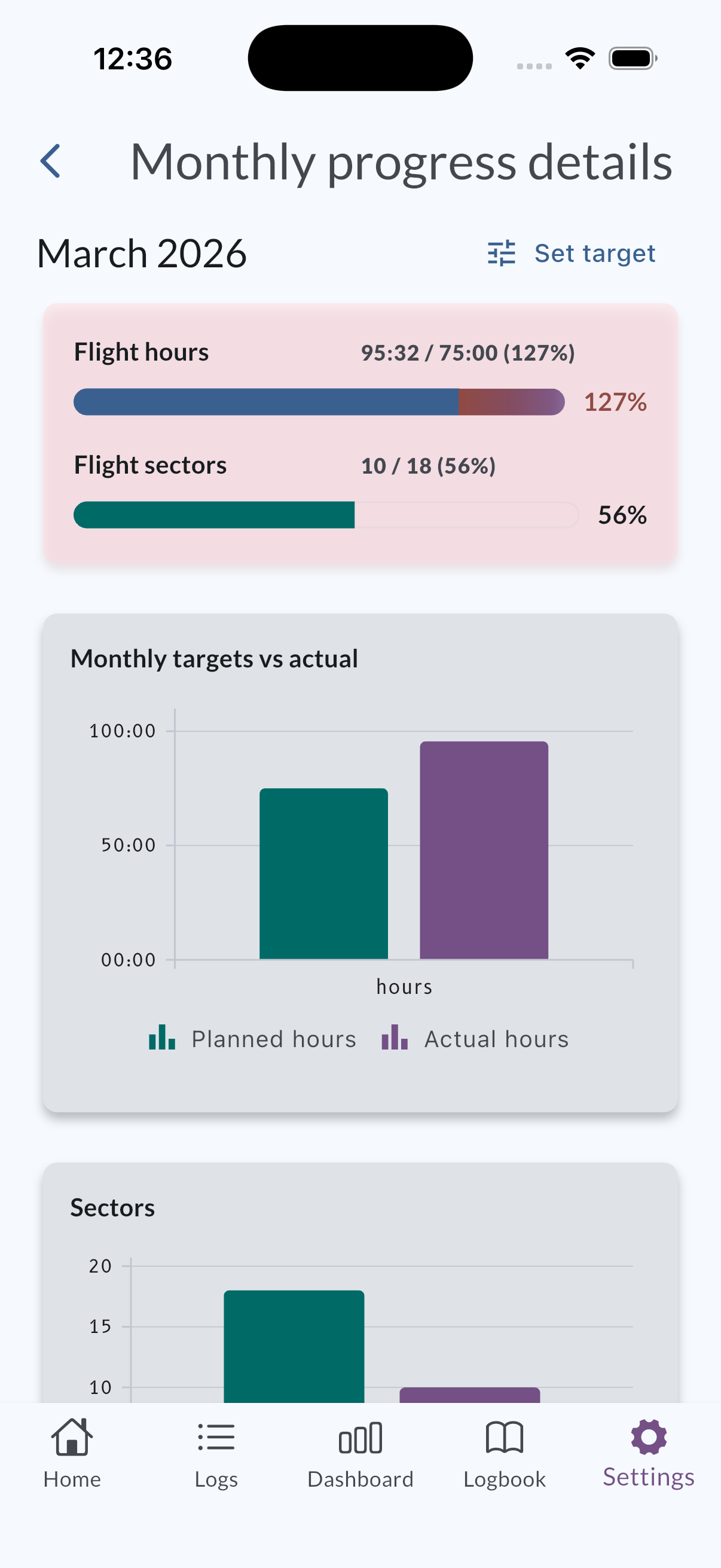
The details screen emphasizes planned versus actual with chart-style summaries (including bar and pie-style breakdowns) so you can see at a glance how the month is going. Animations and layout are aligned with the Home progress patterns for the same month.
Actual hours and sectors for the month include:
- Normal flights
- Positioning activity (when applicable)
- Simulator records — simulator time counts toward actual hours, and each simulator record counts as one sector when sector tracking is on
On the Home Monthly Progress cards, the breakdown shows simulator activity on its own Simulator line so you can see how much of the month came from simulator versus other flying. This is separate from the general logbook setting that controls whether simulator hours are included in overall Total Time.
Sector-related charts and targets only apply when monthly sector tracking is enabled for your account. Adjust those preferences under Settings if you need to turn sector tracking on or off.
Details screen: charts and breakdown
On Monthly progress details, you can:
- Review hours and sectors for the month with planned-vs-actual emphasis (including simulator contribution in the actuals).
- Use the on-screen Set target action to open the target editor for that period without leaving the flow.
- Change planned flight hours and, when sector tracking is on, planned sectors for the month from that editor.
Exact labels may vary slightly by app language; use the control shown next to your monthly targets in the app.
How this relates to Dashboard sector widgets
Dashboard widgets can show sector totals over longer horizons (for example by month within a year, or year-level views). Those summaries are useful alongside the month-first progress and target screens.
Related pages
- Set or update monthly targets — step-by-step target changes.
- Simulator logs — how simulator records are entered.
- MyLog Settings — behavior and display options that can affect charts (for example threshold lines on monthly charts).
- Threshold — optional hour line on monthly charts.