Profile
Your profile holds your name, email, rank, company, license number, license type, airline, home base and membership type. Use it to review and update your details, change your password, log out or delete your account.
Open your profile
- Open MyLog on your device and log in to your account.
- Tap Settings.
- At the top of the screen, tap your name.

You can log out of MyLog from this screen. Tap the Logout button.
Email verification status
MyLog can show whether your account email is verified.
If your email is not verified, or if MyLog detects that the email may need attention, you may see a warning banner or a status indicator on the profile screen. Use the available verification action to send or resend a verification email when needed.
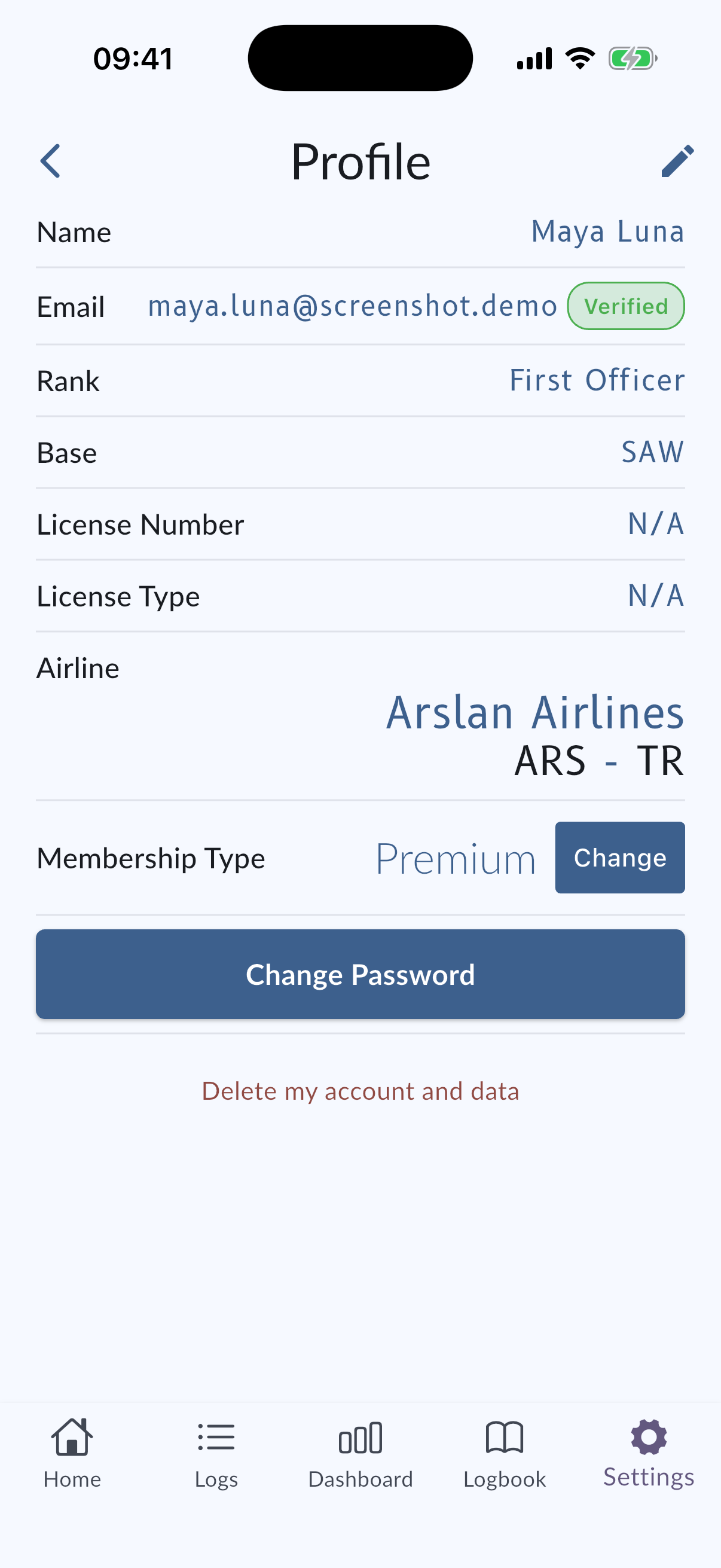
Change your profile information
If you want to change your name, surname, email address, or the airports in your profile, such as your home base, you can do it from MyLog.
You can not change your email address if you signed up with your Google or Apple account.
- Open your profile as described above.
- Tap the edit icon at the top right of the screen.
- Change your name, surname, email address, or airports.
- Tap Save.
Choose an airport
Airport fields in your profile use the same airport search and selection as Log Flight. Search for an airport and select it from the suggestions. If your airport is missing, you can report it.
Features that need your home base, such as EASA FTL tracking and the Heat Map, use the base airport you set here.
Change your password
Tap Change Password at the bottom of the profile screen. See Change Password.
Delete your account
Tap Delete Account at the bottom of the profile screen. See Delete Account.
Subscription
Use the membership or subscription area on your profile to review available subscription options. See Subscribe.