MyLog 2.7.0 Update

MyLog 2.7.0 turns your logbook into a map of where you have been, a live view of your duty limits and, for THY and AJet pilots, a monthly salary estimate. It also adds new Dashboard periods and widgets, flexible Crew Document reminders, and a long list of sync and reliability improvements.
My Flights Heat Map
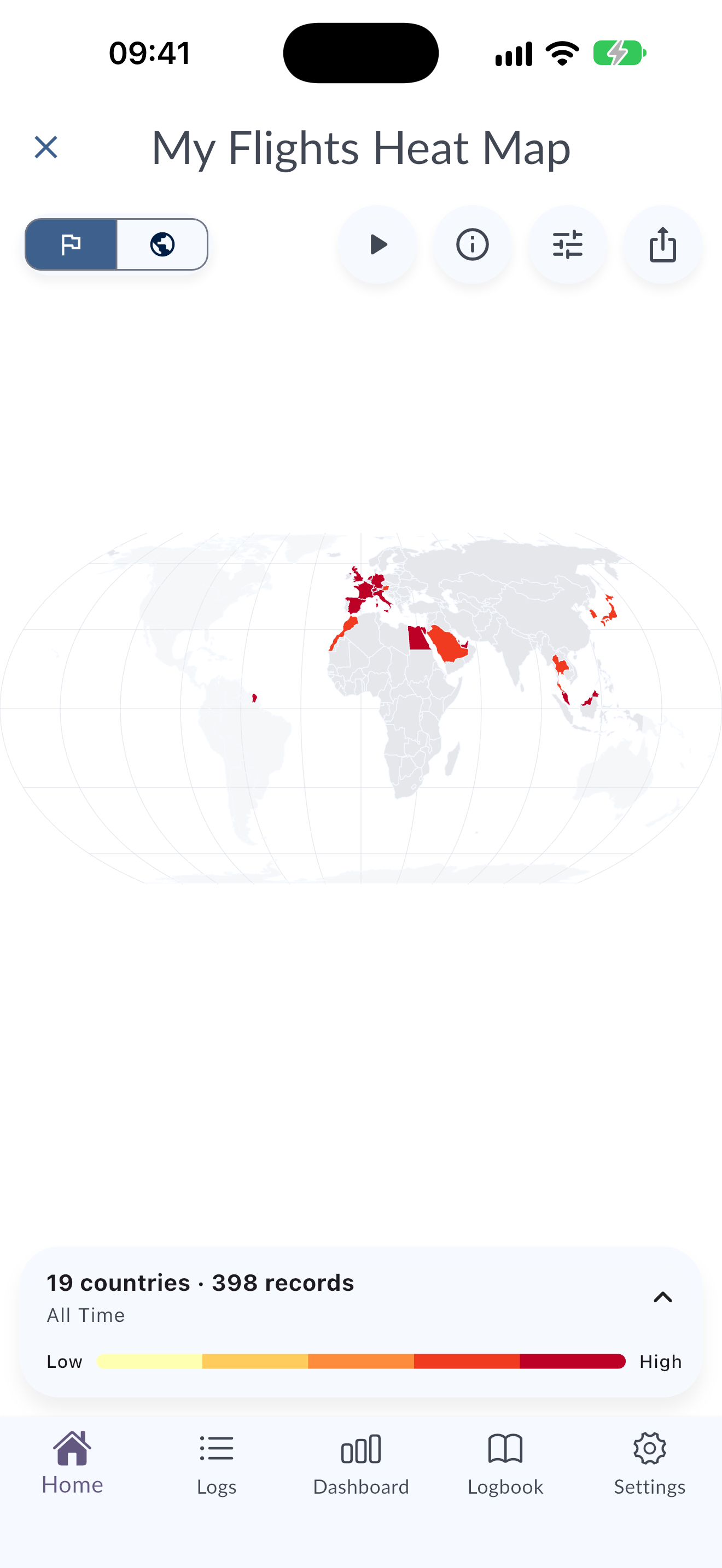
A new Dashboard widget colours the countries you have flown to on a world map, from quiet to busy, for the period you have selected.
You can switch between a country view and a region view, let MyLog focus the map automatically or pick regions yourself, and tap the info icon to see exactly how the map is calculated. Simulator records are left out, and return trips to your home base do not inflate the intensity of your destination.
Tap the map to play the full-screen animation: the camera follows your route, a trail is drawn behind each flight and each landing pulses on the map. Playback runs from 0.5x to 4x. When you are happy with it, share a 1080 x 1920 image or a silent 30 FPS video. The video is prepared on your device, so it keeps working without a connection, and a finished video stays in MyLog until you save or share it.
Read the guide: My Flights Heat Map
My Flight Journey
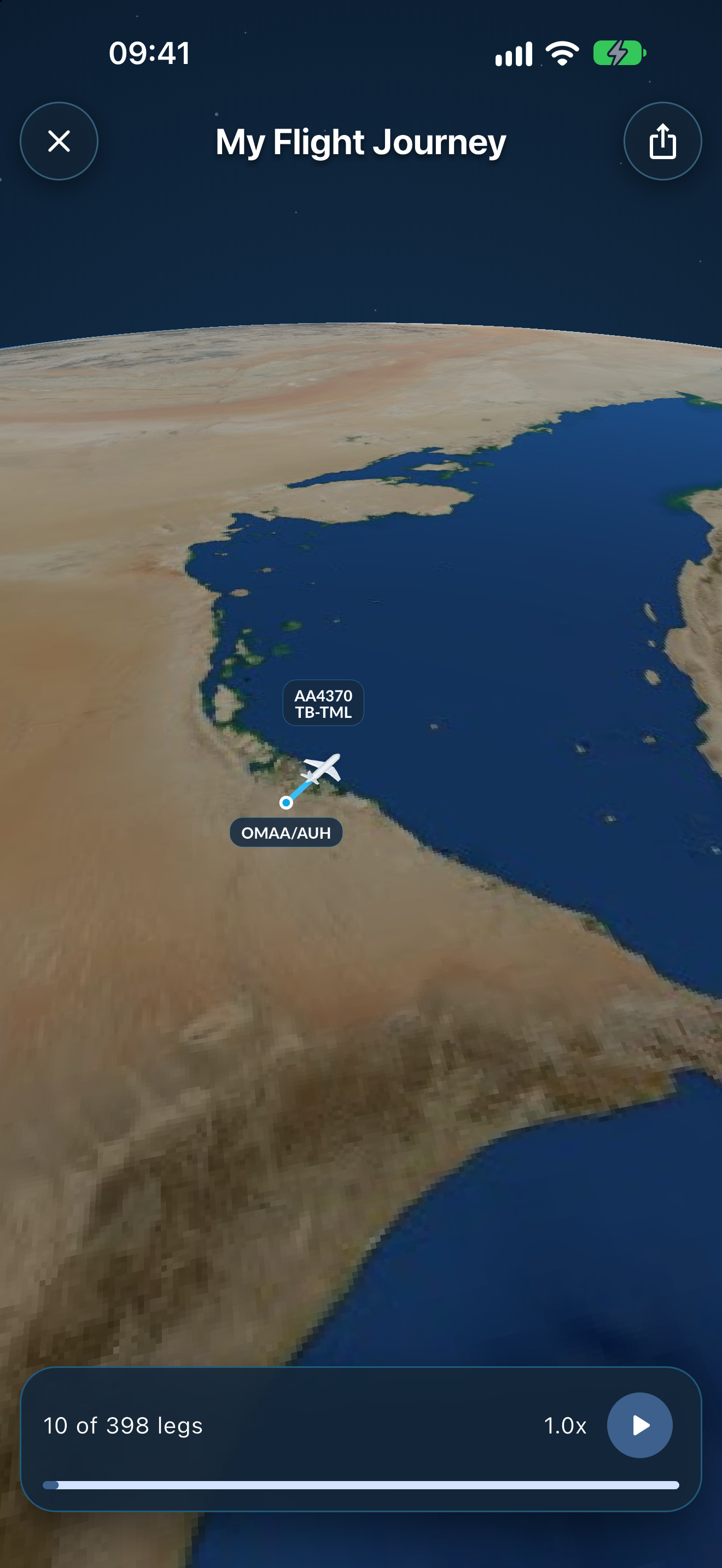
My Flight Journey replays every flight and positioning leg in your selected period, in order, on a 3D globe. The camera stays close to the aircraft, pulls back between distant airports and shows detailed terrain near take-off and landing. Flight positioning appears as an aeroplane and ground positioning as a bus. Simulator records and legs that start and end at the same airport are not shown.
The player hides the app navigation and uses floating controls, with playback from 0.5x to 4x. One share button exports a 1080 x 1920 silent video that is prepared on your device.
Read the guide: My Flight Journey
Optional EASA FTL tracking
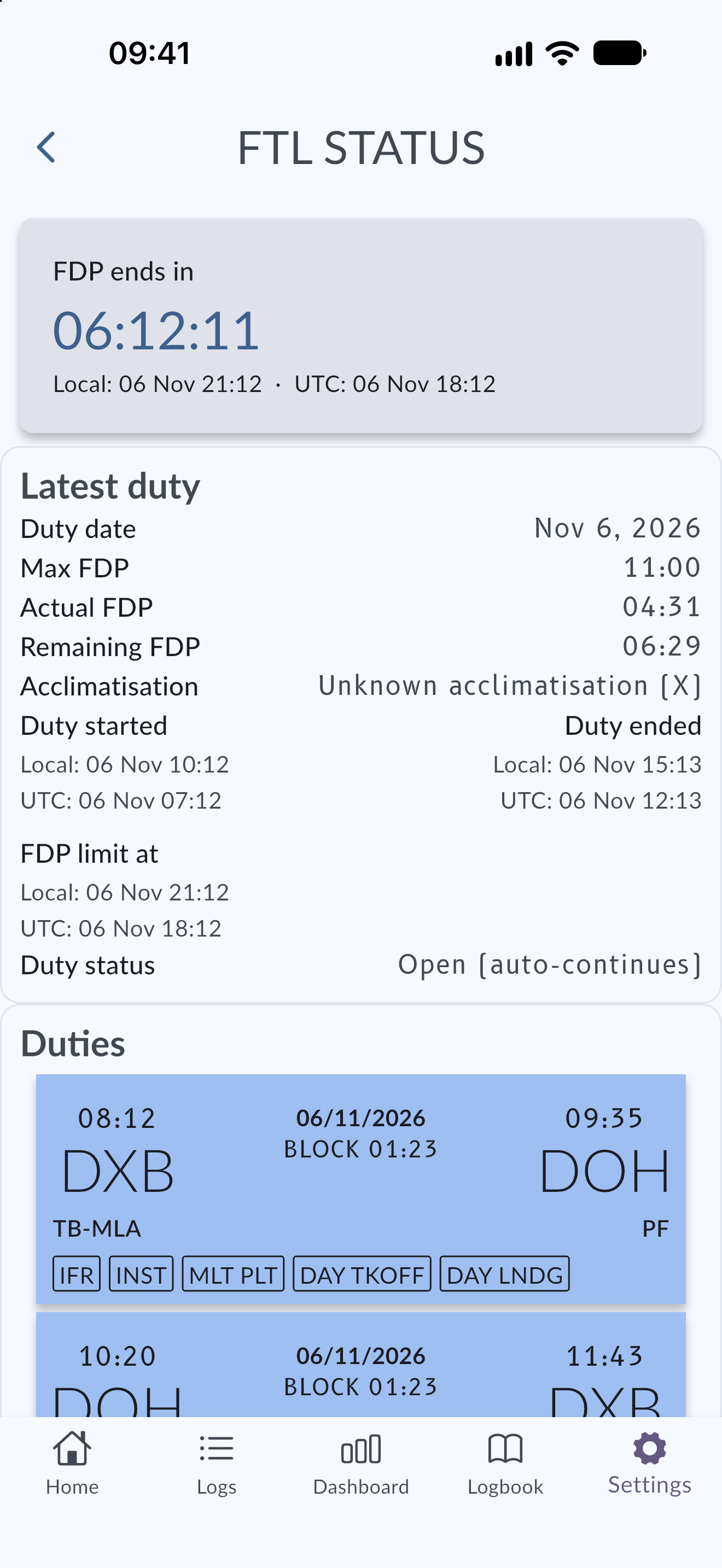
If you fly under EASA Flight Time Limitations, MyLog can now keep track of your duty for you. Turn it on under Settings -> Logbook Fields -> FTL Tracking and MyLog builds duties from your flights, positioning, simulator sessions and standby, joining records that belong to the same duty and starting a new duty once there has been enough rest.
- A live FDP counter that shows any exceeded time, and a rest countdown once the duty ends.
- Duty start, duty end, FDP limit and rest end in both local time and UTC.
- Simulator duties with editable report and debriefing times, home standby and call-out times, and airport standby or positioning before a flight.
- Commander's discretion and FDP exceedance recorded with Save with FDP exceedance.
- A Home card with a shortcut to your latest completed duty.
FTL tracking is an advisory tool. It never blocks you from saving an entry, and your operator's approved scheme always takes precedence.
Read the guide: EASA FTL Tracking
Salary Calculator for THY and AJet (Beta)
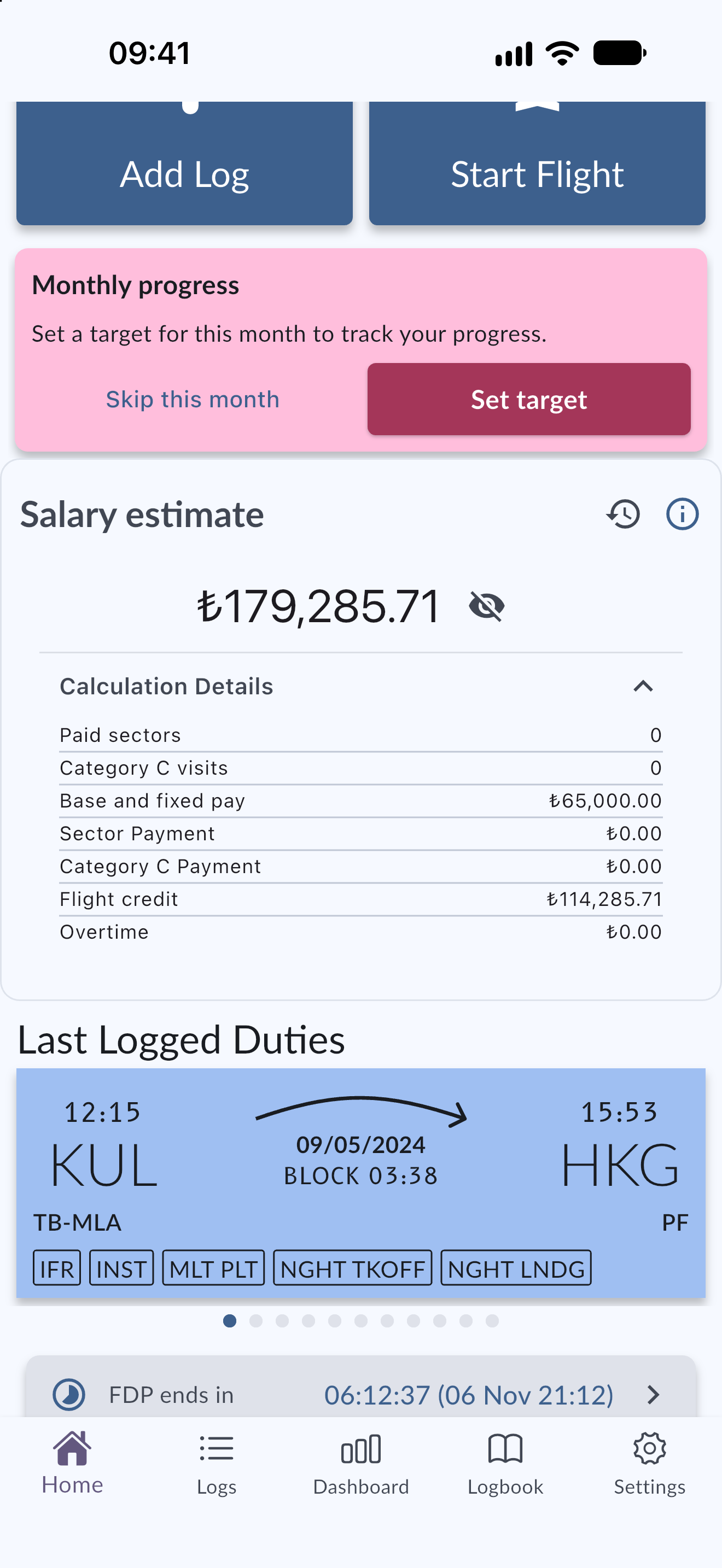
Pilots with a THY or AJet profile and a Captain, First Officer or Second Officer rank can now see a monthly salary estimate in MyLog: gross for THY and net for AJet. The estimate is calculated from your logged flights, simulator sessions and positioning, together with the pay rates you enter.
- A monthly estimate on Home and the Dashboard, with a calculation breakdown, sector counts and Category C airport payments.
- Monthly earnings history and a Trial screen to try out scenarios.
- Dated rate versions, so you can set a new rate from today and still view earlier ones.
- THY planned block time per flight, and AJet S1 to S4 sector classes and Night supplement, chosen when you add or edit a flight.
- Home screen widgets and an Apple Watch page, if you choose to share your salary with them.
- The estimate keeps working offline.
Your salary stays private. Amounts are masked until you reveal them with your device's verification, they are hidden again after the app restarts, and Store My Salary Data on Server lets you decide whether your rates and monthly estimates are stored on MyLog servers at all.
This is a beta. Partial-month and leave proration for THY, and per diem and deductions for AJet, are not included, so the estimate can differ from your payslip.
Read the guide: Salary Calculator
A more flexible Dashboard
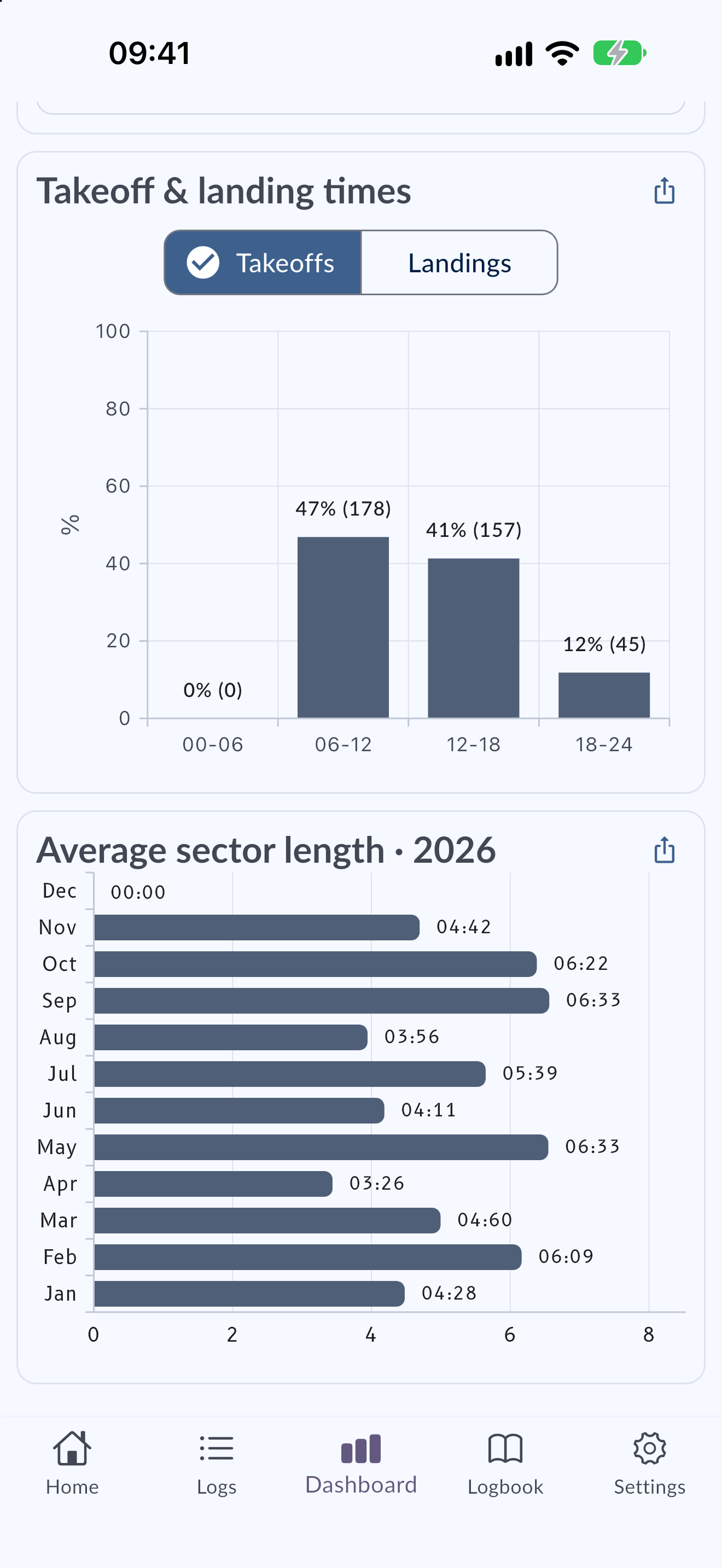
The Dashboard has new periods, This month, Last month and This year, and two new widgets: take-off and landing times, which shows when in the UTC day you take off and land, and average sector length by month. The take-off and landing time card and the average sector length card can be shared as images. The PM/PF chart now shows percentages, Show All pages on supporting widgets have search, and the Monthly Progress detail columns break your time down into Flight, Simulator and Positioning.
Read the guide: Dashboard
Flexible Crew Document reminders
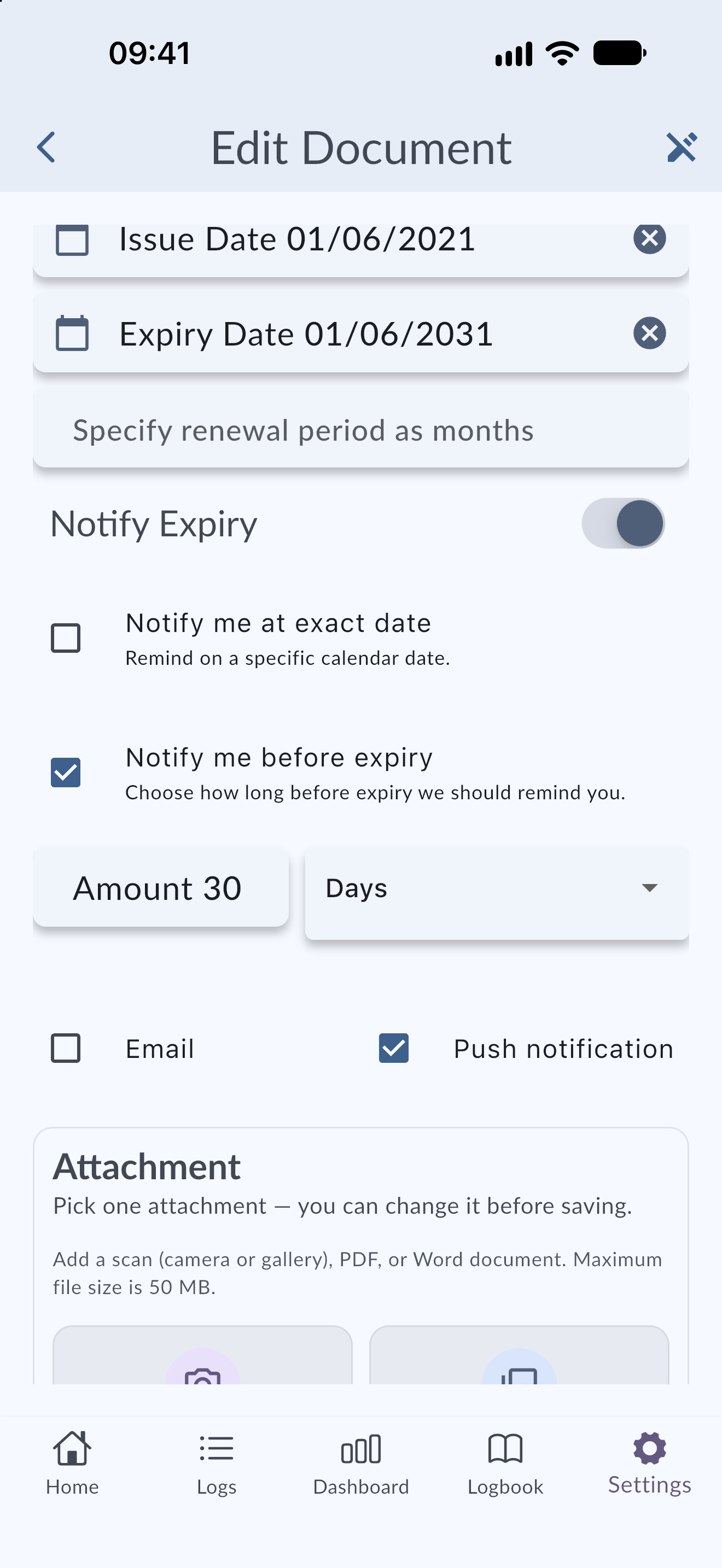
Crew Document reminders can now be sent on the exact expiry date or a time you choose before it, in days, weeks, months or years. Choose email, push notification or both for each document.
Read the guide: Crew Documents
Also improved
- Faster startup and clearer sync. MyLog opens straight to Home when your data is already on the device, while sync continues in the background. A status banner shows what is syncing, confirms that your new records are safe and offers a Retry button if something goes wrong. Accounts with very large logbooks no longer see a frozen loading indicator during the first download.
- Clear choices when a deletion is rejected. MyLog explains what happened and lets you keep the record or try Delete again.
- Positioning done right. Positioning is counted consistently in the logbook, Dashboard, widgets and Apple Watch, the previous airport is filled in for you, and THY and AJet activity report DH and GT lines import as positioning.
- Hour type on widgets. Total Time widgets on iOS and Android can show any logbook hour type, chosen per widget.
- Login refresh. Clearer error messages, safe linking of Apple or Google to your existing MyLog account by verified email, and deleting an account signed in with Apple now also revokes your Apple authorisation.
- Crew Documents. Simpler forms, and a warning when you add a log on a date when your licence or medical had expired.
- On-device text recognition on iOS for Capture Screen and passport scanning, night time calculated on the device, and the same airport search in Edit Profile as in Log Flight.
- Bug fixes. More than twenty fixes covering sync, offline editing, Crew Documents, the flight list and the flight form.
The complete list is in the changelog and in Settings -> Change Log inside the app.
If you run into anything unexpected, or you have an idea that would make MyLog more useful for your flying, we would like to hear from you.
Fly safe, The MyLog team